
AutoCreate from Gipper

Automatically create graphics from your athletic schedule with AI

AutoCreate syncs with your athletic schedule and automatically creates game day, daily schedule, and weekly schedule graphics. 

"Holy cow! Just hooked our calendar to autocreate. This is AWESOME!! Complete game changer."

Jason Morris
Asst. Athletic Director, Chelsea High School (MI)

"Amazed at how easy this is. Can do it for a specific game or the whole week! Awesome updates."

Philip Pryzbyla
Athletic Director, Bureau Valley High School (IL)

"Have been using AutoCreate for a few weeks now, a HUGE time saver and another reason to love Gipper.

Colin Fegeley
Athletic Director, Green Level High School (NC)
GRAPHICS ON AUTOPILOT

The graphics you need, created automatically

No typing in your event details. No adding your colors and logos. No writing your own captions. AutoCreate handles the repetitive work - so you don't have to.
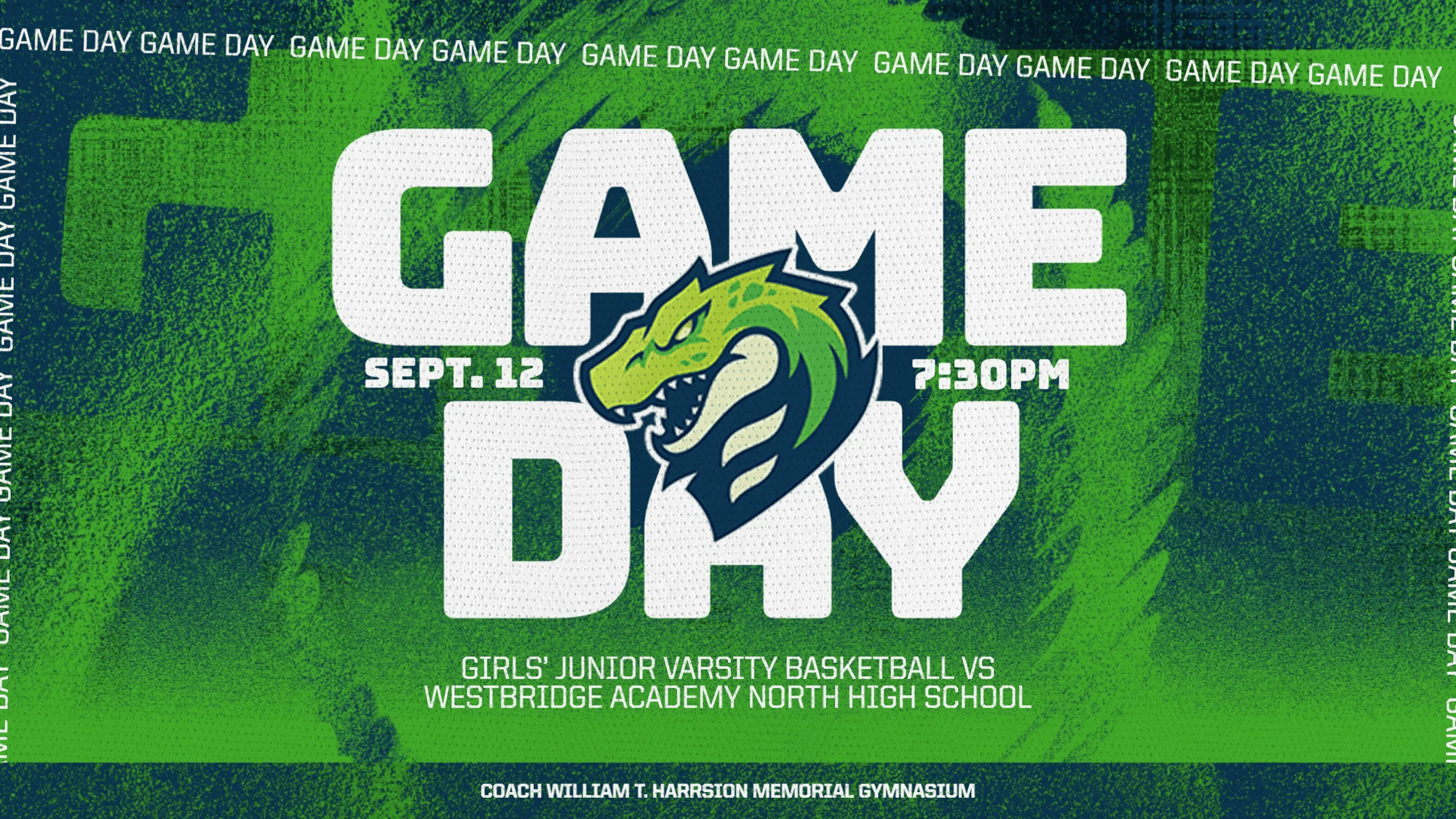
Game Day Graphic created with AutoCreate

Game Day Graphics

Create graphics for individual events using the teams, opponents, dates, times, and locations already in your schedule. 

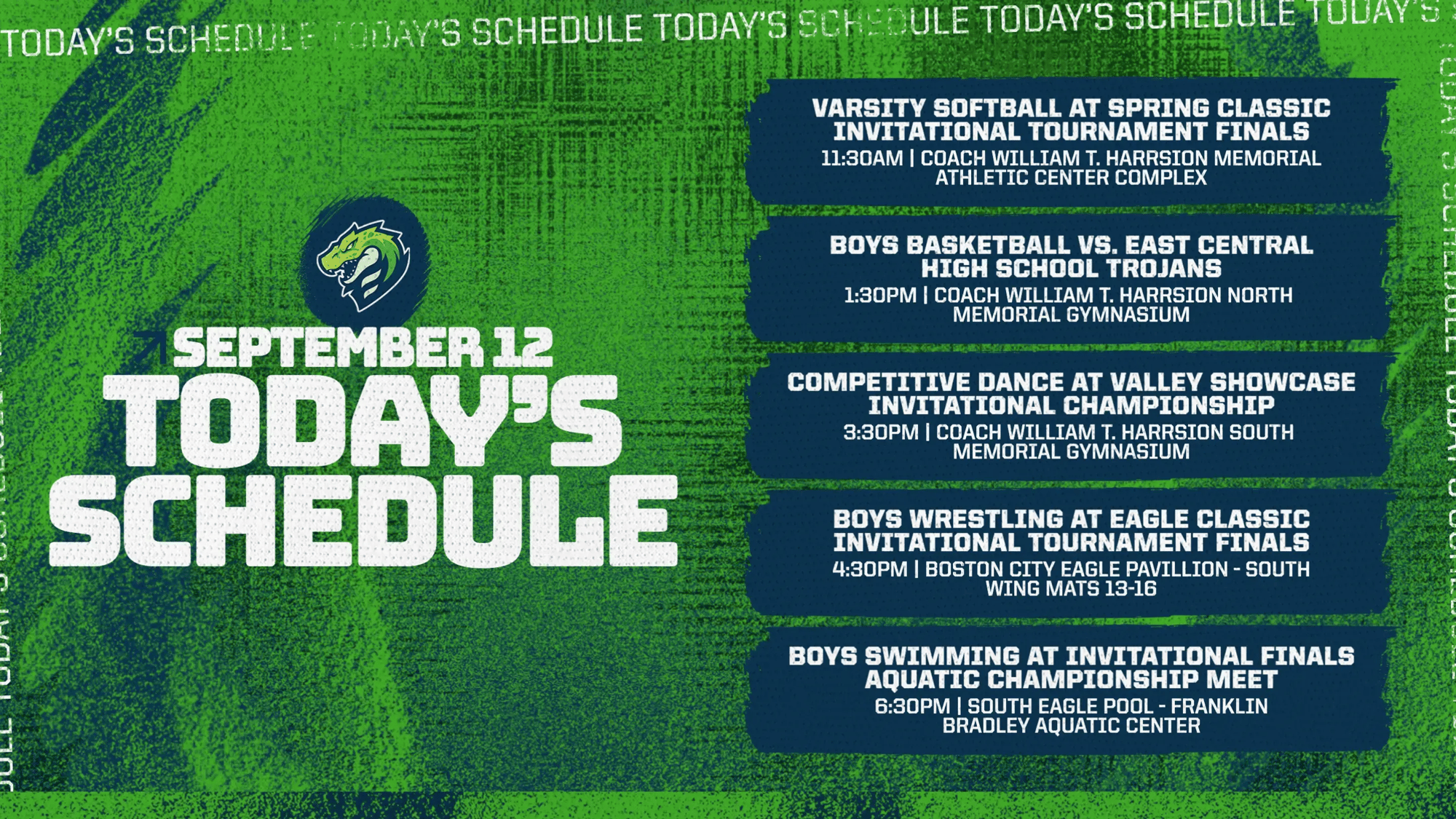
Daily Schedule Graphic Created with AutoCreate

Daily Schedule Graphics

Turn every event happening that day into a single branded schedule graphic, automatically.

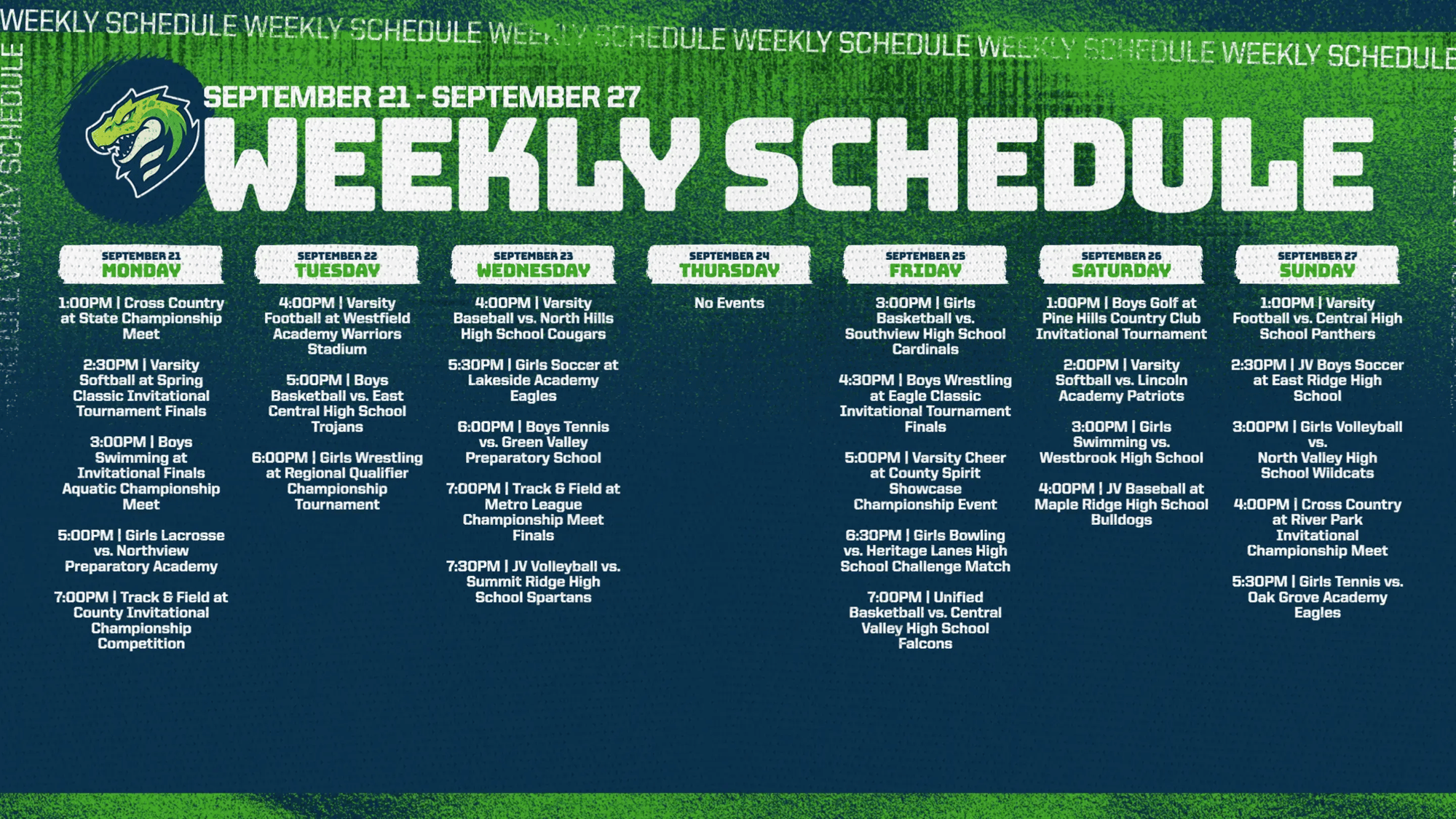
Weekly Schedule Graphic created with AutoCreate

Weekly Schedule Graphics

Create a complete weekly view of upcoming events without manually entering or formatting each matchup.

AutoCreate is included with every Gipper Engage plan

Gipper Engage is the #1 platform for K-12 athletics marketing & communications. Built for the busy athletic director, supercharged with AI.

Automatically create on-brand graphics from your schedule, or choose from 10,000+ customizable templates

Create & share engaging newsletters

Graphics for video boards, score tables, and on campus screens

Frequently asked questions


What is Gipper's AutoCreate?

AutoCreate is Gipper’s AI-powered tool that turns your athletic schedule into ready-to-use graphics automatically. It can create game day, daily schedule, and weekly schedule graphics without requiring you to manually enter event details.


Can AI automatically create sports graphics from an athletic schedule?

Yes. Gipper's AutoCreate connects directly to your athletic schedule and uses that event data to automatically create on-brand game day, daily schedule, and weekly schedule graphics.

Unlike general-purpose AI tools or design platforms that require you to manually provide event details, prompt for each graphic, or build designs one at a time, AutoCreate already has the information it needs. It pulls directly from your schedule, including teams, opponents, dates, times, locations, logos, and colors.

That makes creating sports graphics in Gipper significantly faster, while also reducing the risk of typos, outdated information, and other errors caused by manually re-entering event details or AI hallucination.


What types of sports graphics can AutoCreate create?

AutoCreate can automatically create game day graphics for individual events, daily schedule graphics featuring all of your events for the day, and weekly schedule graphics highlighting everything coming up that week.

Each graphic is built using the event information, logos, and brand colors already connected to your Gipper account, giving you ready-to-use, on-brand sports graphics without starting from scratch.


Which athletic scheduling platforms does AutoCreate integrate with?

AutoCreate integrates with leading athletic scheduling platforms including Arbiter, Eventlink, DragonFly, Bound, HomeCampus, VNN, PrestoSports, SIDEARM, and even Google Calendar.

Once connected, AutoCreate automatically pulls in your event information and keeps it synced as your schedule changes, so there’s no need to manually enter or update the same information in Gipper.


How long does it take to connect a calendar to AutoCreate?

Connecting your athletic schedule to AutoCreate takes less than 60 seconds. Once connected, AutoCreate automatically pulls in your event information and can create graphics from your schedule. There’s no double entry: connect once, and any schedule updates sync automatically so your graphics always stay up to date.


How does Gipper save athletic directors time with AI?

Gipper uses AI to automate repetitive work for athletic directors, freeing up more time to focus on everything else that matters, or get home a little earlier.

With AutoCreate, athletic directors can connect their existing athletic schedule and automatically create game day, daily schedule, and weekly schedule graphics without manually entering event details, adding logos and colors, or building each graphic from scratch. AutoCreate saves athletic directors hours every week. 


The best athletic departments choose Gipper

Join thousands of athletic departments that use Gipper to improve their marketing and communication