Athletic directors are busy.
They know it matters to promote their programs and student-athletes. But creating content is just one of dozens of responsibilities competing for an extremely limited amount of time.
Before Gipper, creating a game-day graphic often looked something like this:
- Open a blank canvas on a generic design tool.
- Type in the game information.
- Search for the opponent's logo on Google.
- Download the opponent's logo (praying it’s the right one).
- Upload the opponent's logo.
- Update the colors.
- Move everything around until it looks right.
- Download the graphic.
- Upload it to social media.
- Write the caption and share.
Then do it again for the next game. And again tomorrow.
For many athletic departments, especially at the high school level, doing this consistently simply wasn’t realistic.
There weren’t enough hours in the day.
Gipper changed that by making it dramatically easier and faster for thousands of athletic departments to create and share professional, on-brand graphics.
Today, we’re taking another big step.
Introducing AutoCreate
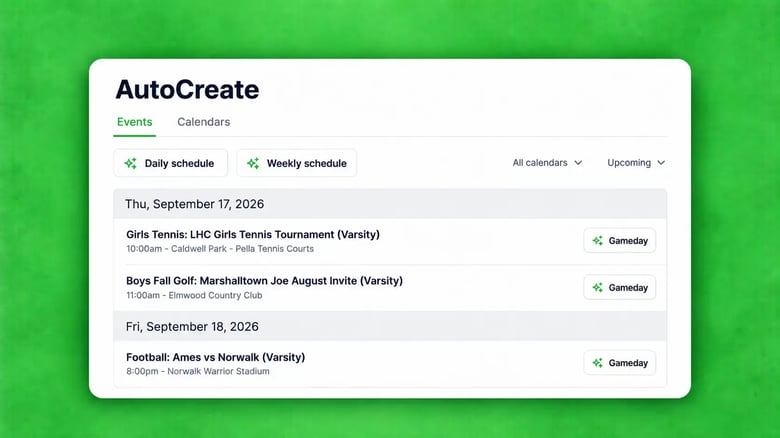
AutoCreate connects directly to your athletic schedule and automatically creates game-day, daily schedule, and weekly schedule graphics for you.
That means:
- No manually entering event information.
- No adding colors or logos.
- No writing captions.
AutoCreate handles the repetitive work, so you don't have to.
Connecting a schedule is easy. AutoCreate integrates with leading scheduling platforms including Arbiter, Eventlink, DragonFly, Bound, HomeCampus, Presto, SIDEARM, Google Calendar, and more.
No double entry required.
What we've already seen
Prior to today's launch, we’ve been testing AutoCreate with a group of customers for about a month. And we’ve already seen two things happen:
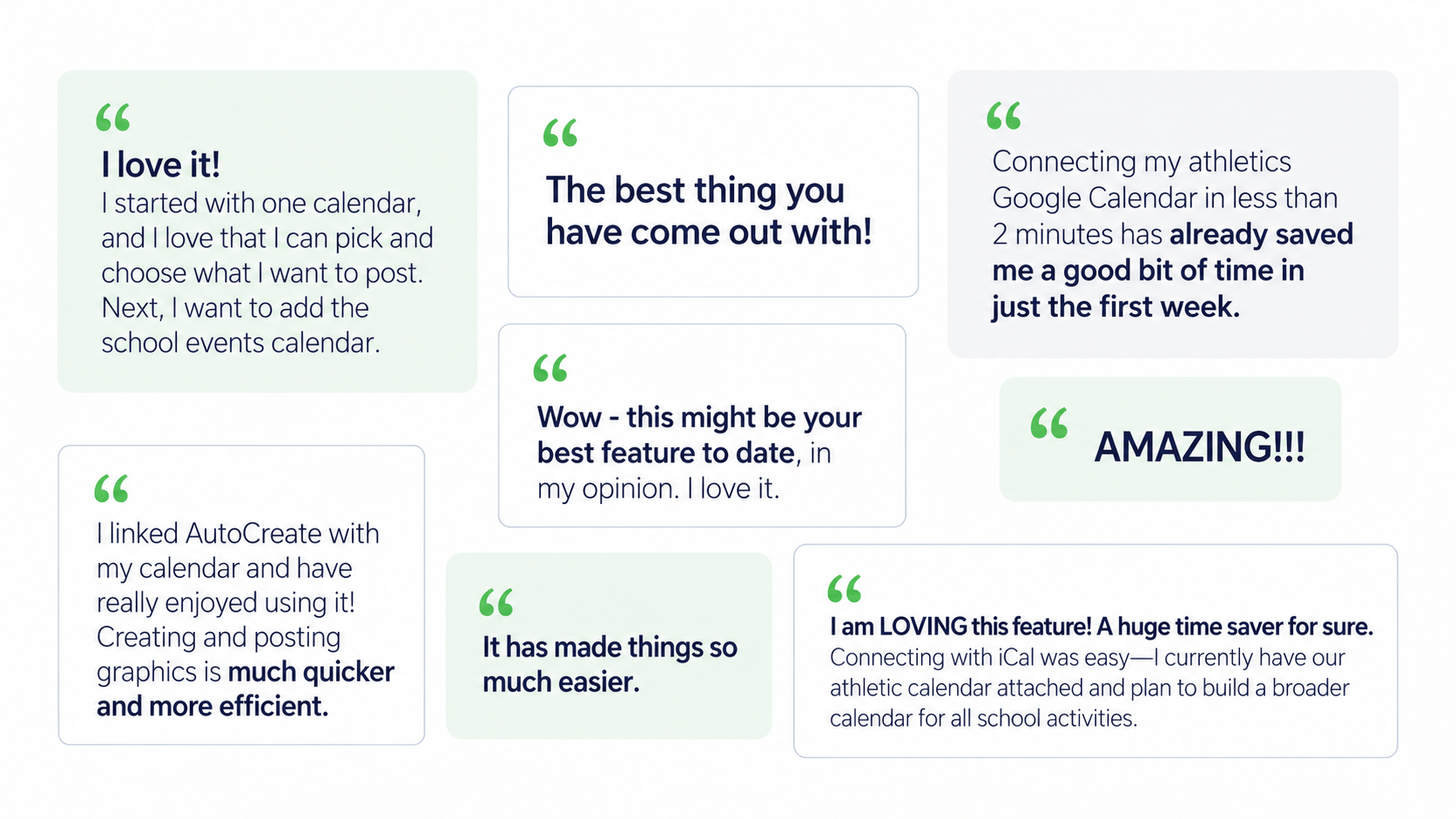
First, ADs who were already creating this content are getting hours of their time back.
Second — and even more exciting — ADs who previously skipped certain content because it took too much time are now creating more than ever.
That’s the opportunity we’re most excited about.
AutoCreate isn’t just about making an existing process faster (which it does, extremely well).
It’s about making consistent, professional social media graphics realistic for athletic departments that simply didn’t have the time or resources to do it before.
Built for how athletic departments actually work
AutoCreate is designed specifically for athletic departments.
It connects to the schedules they already use, understands the types of content they need to create, and applies their branding automatically.
The goal is simple:
Spend less time on repetitive content creation and more time serving your student-athletes, coaches, and community.
AutoCreate is now available in Gipper across any Engage plan. Connect your calendar and start taking advantage!
AutoCreate frequently asked questions
What is Gipper's AutoCreate?
AutoCreate is Gipper's AI-powered tool for athletic departments that turns your athletic schedule into ready-to-share graphics. It connects to your athletic schedule and automatically creates game-day, daily schedule, and weekly schedule graphics for you.
How does AutoCreate create graphics from an athletic schedule?
AutoCreate syncs with your existing athletic schedule, pulls in event information, and uses that data to automatically generate graphics. Instead of manually entering dates, times, opponents, and other event details, AutoCreate does the repetitive work for you thanks to Gipper's industry-leading AI.
What types of sports graphics can AutoCreate make?
AutoCreate can automatically create game-day graphics, daily schedule graphics, and weekly schedule graphics for your athletic program. The graphics are generated using the event information already in your athletic schedule. If you're looking to create other types of sports graphics, Gipper's industry-leading library of 10,000+ sports graphics templates are available to utilize within the platform.
Can AutoCreate automatically create game-day graphics?
Yes. AutoCreate can use your athletic schedule to automatically generate game-day graphics for upcoming events, eliminating the need to manually enter game information or build each graphic from scratch.
Does AutoCreate add school colors and logos automatically?
Yes. AutoCreate uses your Gipper branding to generate on-brand graphics automatically, including your school colors and logos. This helps athletic departments maintain a consistent visual identity without manually branding every graphic.
Does AutoCreate generate captions for social media?
Yes. AutoCreate can generate captions to accompany your graphics, reducing another repetitive step in the content creation and publishing process.
Can I customize graphics created by AutoCreate?
Yes. AutoCreate handles the repetitive work of generating the initial graphic, but you can still customize the finished design in Gipper before sharing it.
What athletic scheduling platforms work with AutoCreate?
AutoCreate is designed to connect with the scheduling systems athletic departments already use, including platforms such as Arbiter, Rank One, Bound, DragonFly, EventLink, Home Campus, SIDEARM, Presto, and Google Calendar.
Availability of individual integrations may vary, so check Gipper for the latest supported scheduling platforms.
What athletic scheduling platforms work with AutoCreate?
AutoCreate is designed to connect with the scheduling systems athletic departments already use, including platforms such as Arbiter, Rank One, Bound, DragonFly, EventLink, Home Campus, SIDEARM, Presto, and Google Calendar.
Availability of individual integrations may vary, so check Gipper for the latest supported scheduling platforms.
Is AutoCreate an AI sports graphic generator?
AutoCreate uses AI and automation to create sports graphics specifically for athletic departments. Unlike a general-purpose AI graphic generator, AutoCreate is built around athletic schedules, school branding, sporting events, and the types of graphics athletic departments create every day. The result is a significantly faster-to-create, more accurate, and more easily sharable social media sports graphics creation experience.
How can AutoCreate save athletic directors time?
Creating sports graphics traditionally requires athletic directors to manually enter event information, find opponent logos, apply school branding, design the graphic, write a caption, and repeat the process for every event.
AutoCreate automates much of that repetitive work by turning schedule data directly into ready-to-share graphics, giving athletic directors more time to focus on their student-athletes, coaches, and school communities.
Who is AutoCreate built for?
AutoCreate is built for athletic departments and the people responsible for promoting their athletic programs, including athletic directors, assistant athletic directors, sports information staff, communications professionals, and other school staff managing athletic content.
Related articles
.webp)