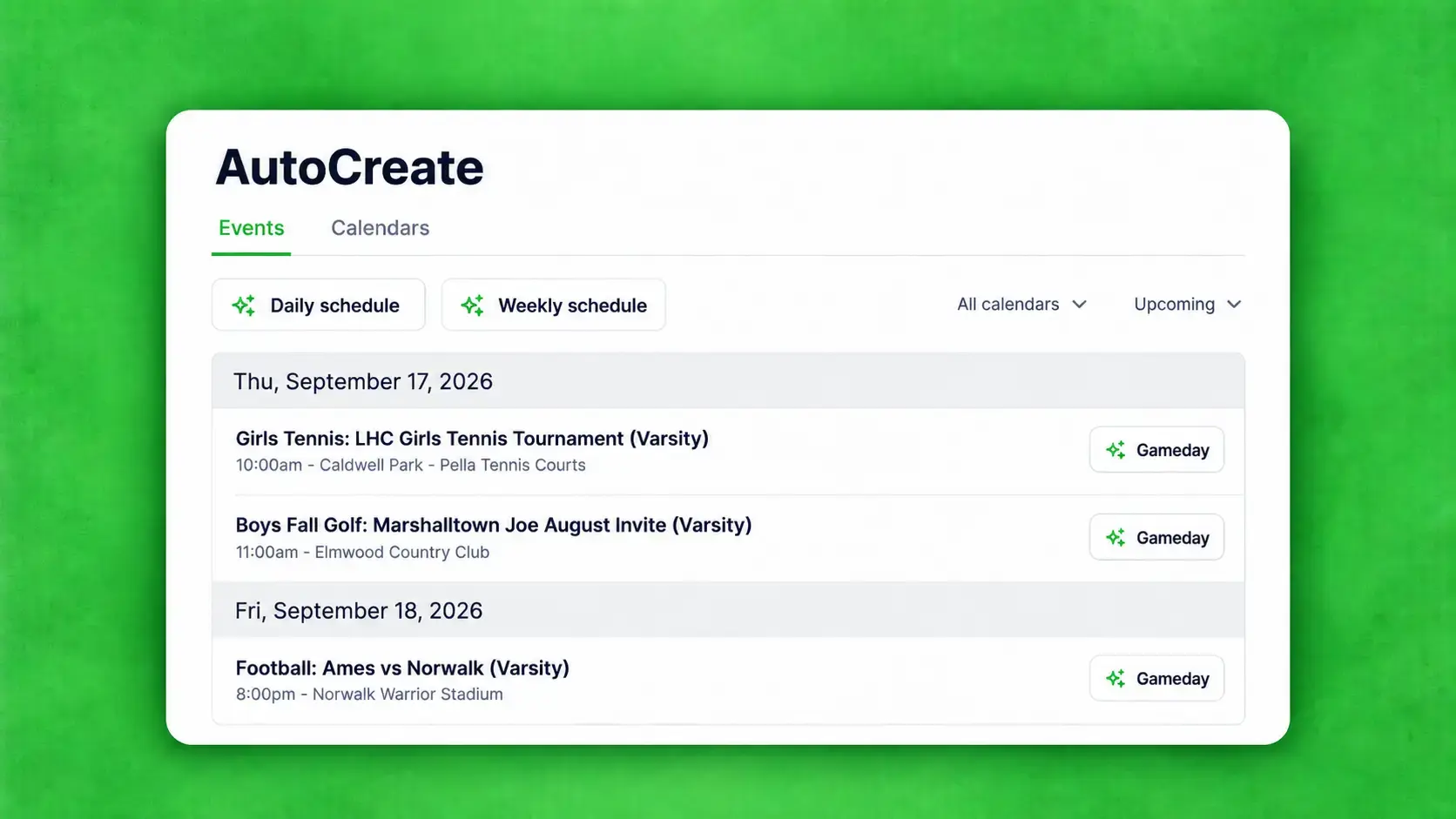
Our AI-powered AutoCreate tool just got even better! You can now create final score graphics directly from your athletic schedule and showcase up to 10 events in a single daily schedule graphic.
Here’s what’s new.
Celebrate every final score
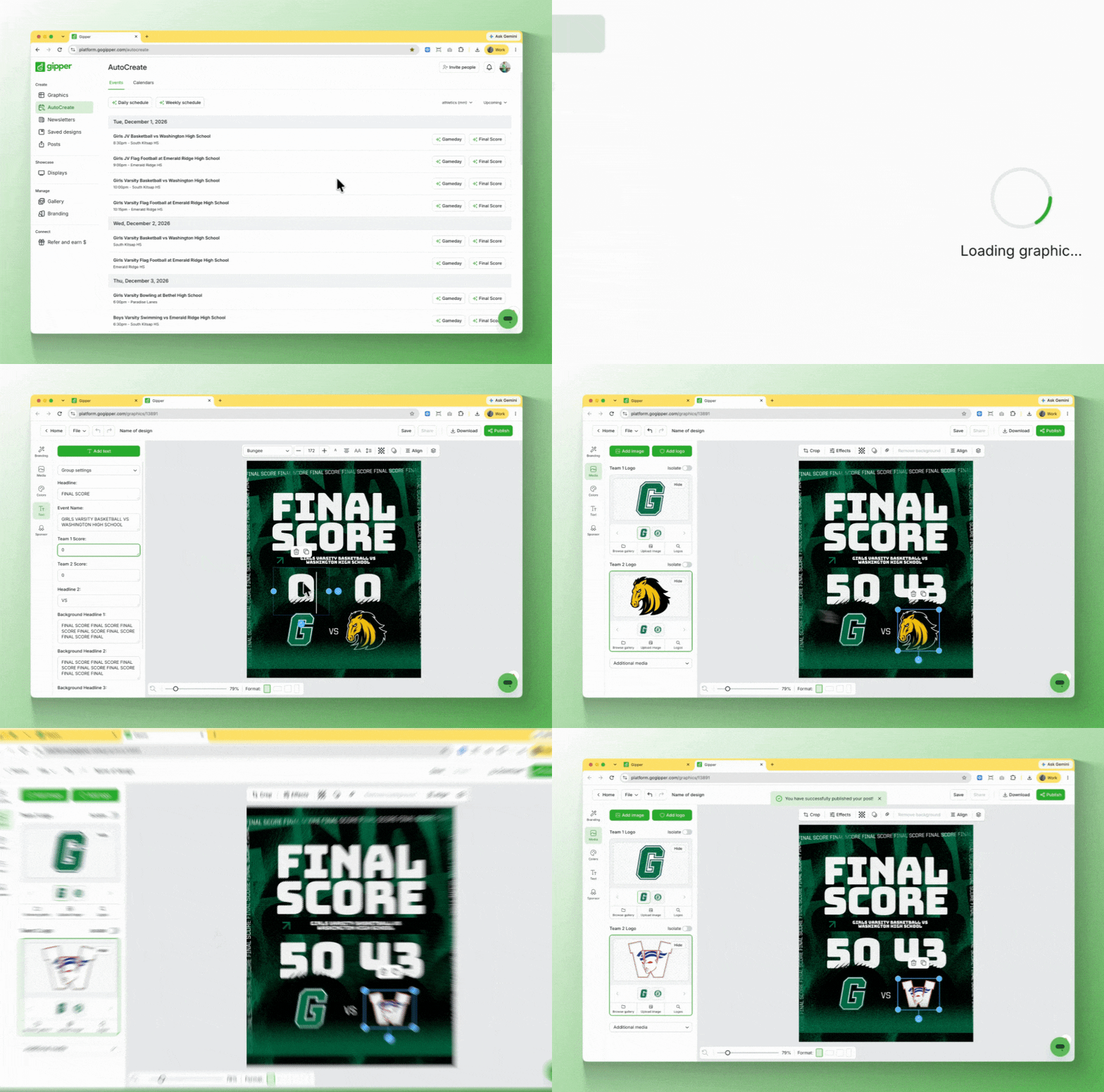
From a big varsity win to a hard-fought freshman game, it’s now easier than ever to share results and celebrate your student-athletes.
Simply select Final Score next to an event in AutoCreate and choose a design. Your graphic will automatically populate with your school’s logo, colors, and event name. Just enter the scores, add an opponent logo if you’d like, and you’re ready to share.
We’ll even pre-draft your social media caption for you.
Showcase more events in a single graphic
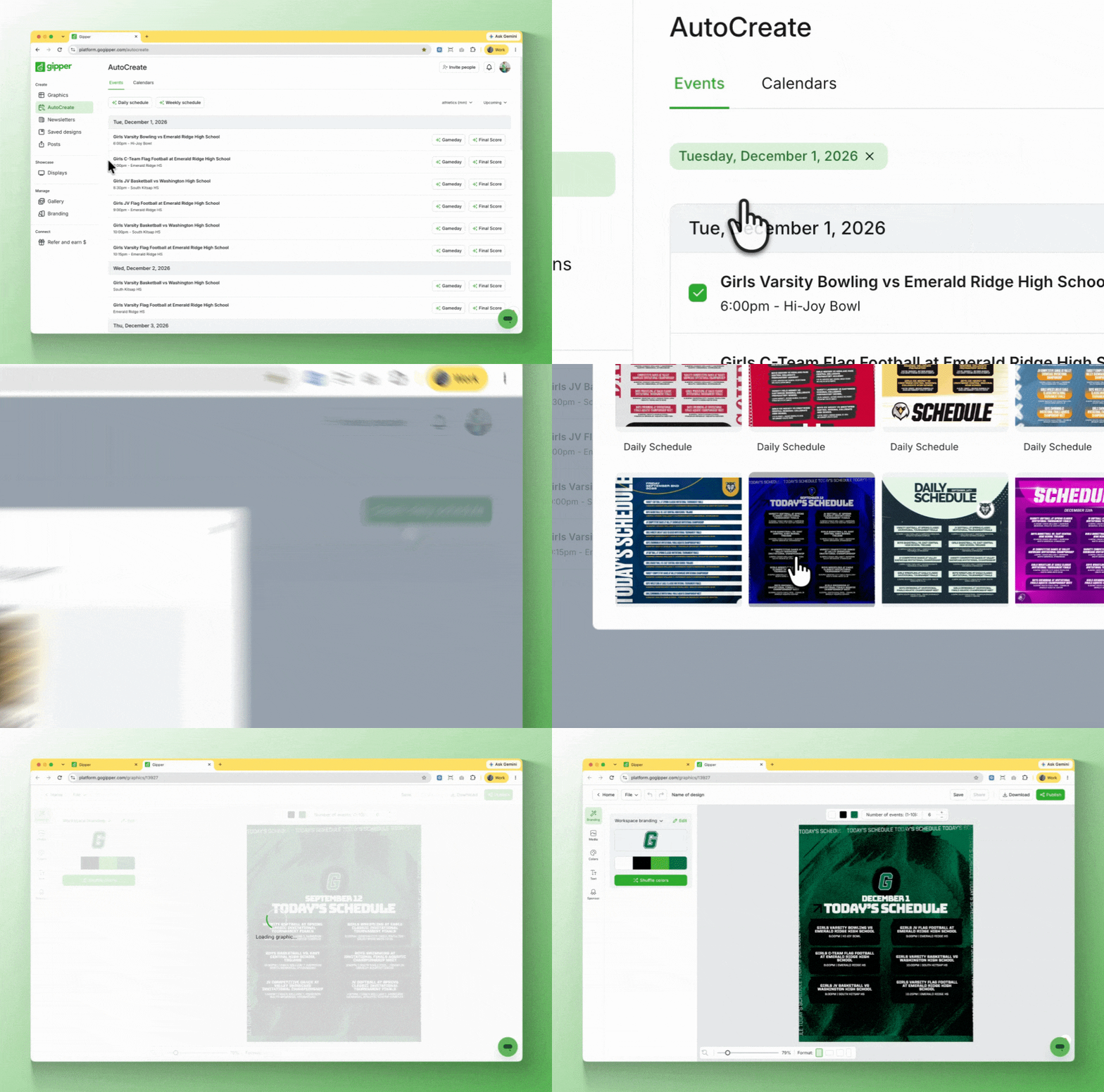
Busy day of athletics? We’ve got you covered.
You can now include up to 10 events in a single daily schedule graphic, double the previous limit. Keep your community informed about everything happening across your athletic department without having to create multiple graphics.
Give it a try
Already using AutoCreate? Head over to the Events tab in your Gipper account to try these new features.
New to AutoCreate? Schedule a demo with our team to see how AI can help your athletic department save time and create more content.
Related articles